How to Add Custom Equipment That Isn't in the SetSale Database
Sometimes you need to quote equipment that isn't in SetSale's master database — a specialty unit, a local-only brand, or an off-book item. You can still add it manually.
How to Add Custom Equipment
Option 1: Upload via Price Book
-
Go to Settings > Equipment.
-
Click Upload Pricebook.
-
Upload your distributor's PDF or use the Excel template to include the custom model numbers and pricing.
-
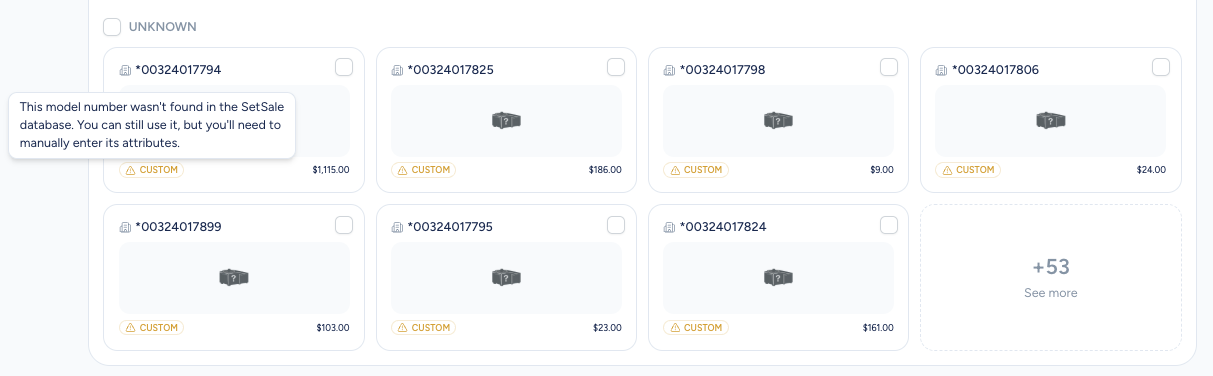
SetSale's AI will attempt to extract model numbers, types, and pricing. If the system doesn't recognize a model, it will be flagged as Custom Equipment.
Option 2: Add Manually
-
Go to Settings > Equipment.
-
Click on a custom item to edit its details.
-
Manually enter the model number, equipment type, pricing, and any relevant specs.
What's Different About Custom Equipment?
-
SetSale's master database automatically pulls in AHRI numbers, spec sheets, warranty info, and brochures for recognized model numbers. For custom equipment, you'll can add these details yourself.
-
Custom equipment still works in quotes the same way — it just won't have the auto-populated documentation until SetSale adds that brand to the database.
Tips
-
If you're frequently quoting equipment that's not in the database, let us know at support@setsale.ai. Our team is always adding new brands.
-
You can still use custom equipment in quoting. It may be classified as "Other" until we've added it into our system.