Creating Your First Proposal: A Step-by-Step Guide
This guide walks you through the process of creating a new customer record and generating a comprehensive, AI-powered proposal with different tiers to present to your homeowner.
Step-by-Step Instructions
- Create a New Customer Record:
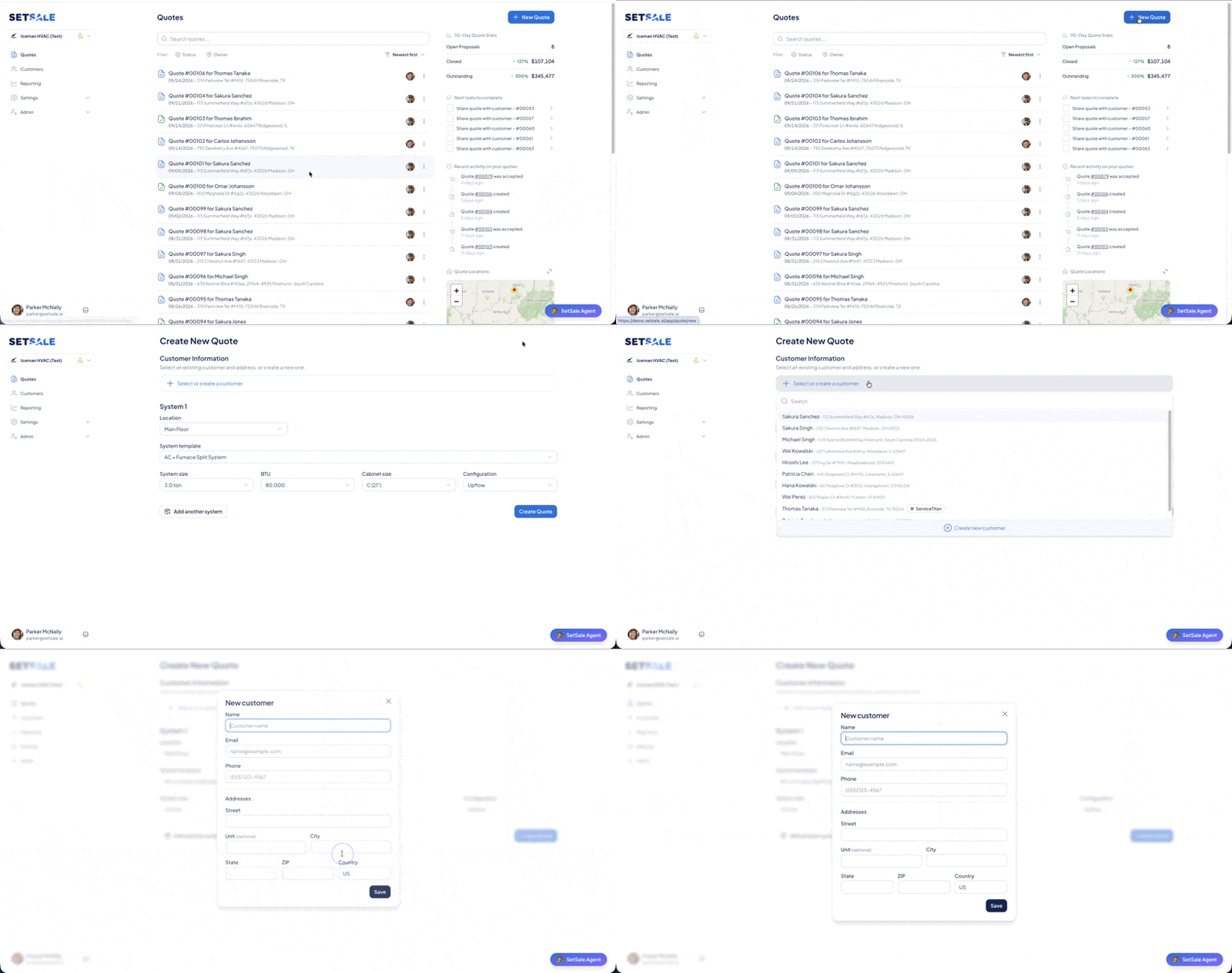
Under Quotes, click + New Quote
- Either search for a customer already in the system, or click on Create New Customer to add the customer's name and address into the system.
- Enter the customer's contact and address information. If the customer is already in your system, their details will be pulled up automatically.
- Input System Specifications:
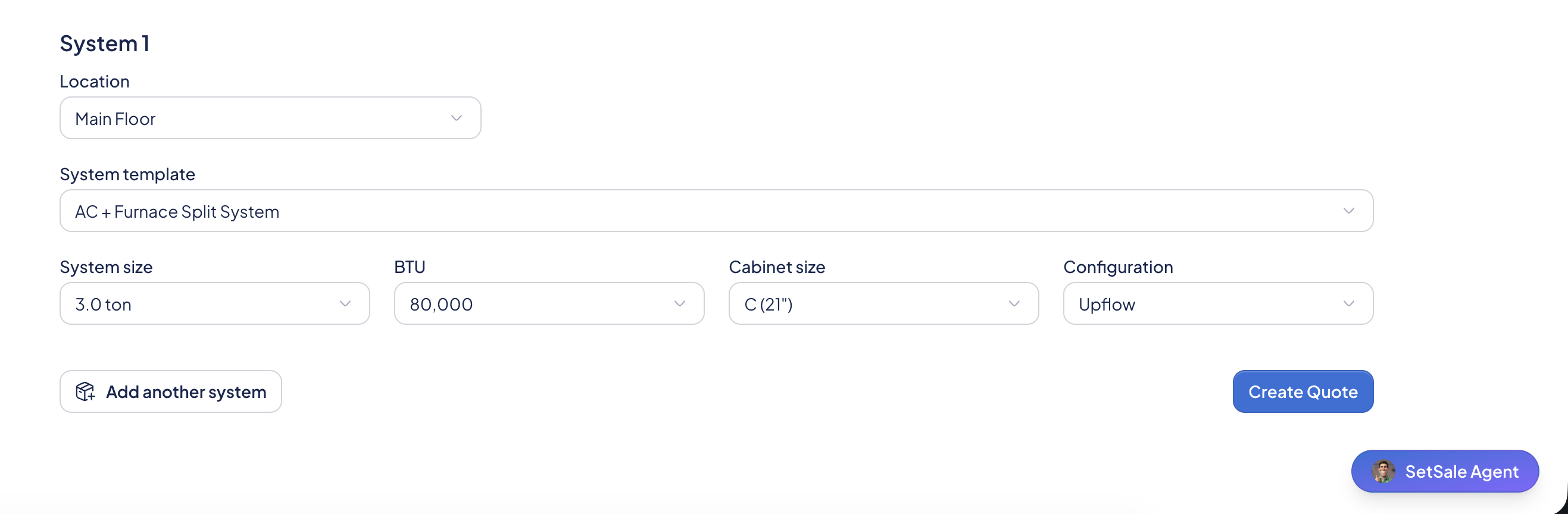
Answer a few basic questions about the customer's existing HVAC system. This includes:
Quote Type
- Location (e.g., main floor)
- System template (e.g., AC furnace split)
- Unit size (tonnage, BTUs)
- Cabinet size and airflow configuration
- Click on Create Quote to generate a proposal.
- Generate the Proposal:
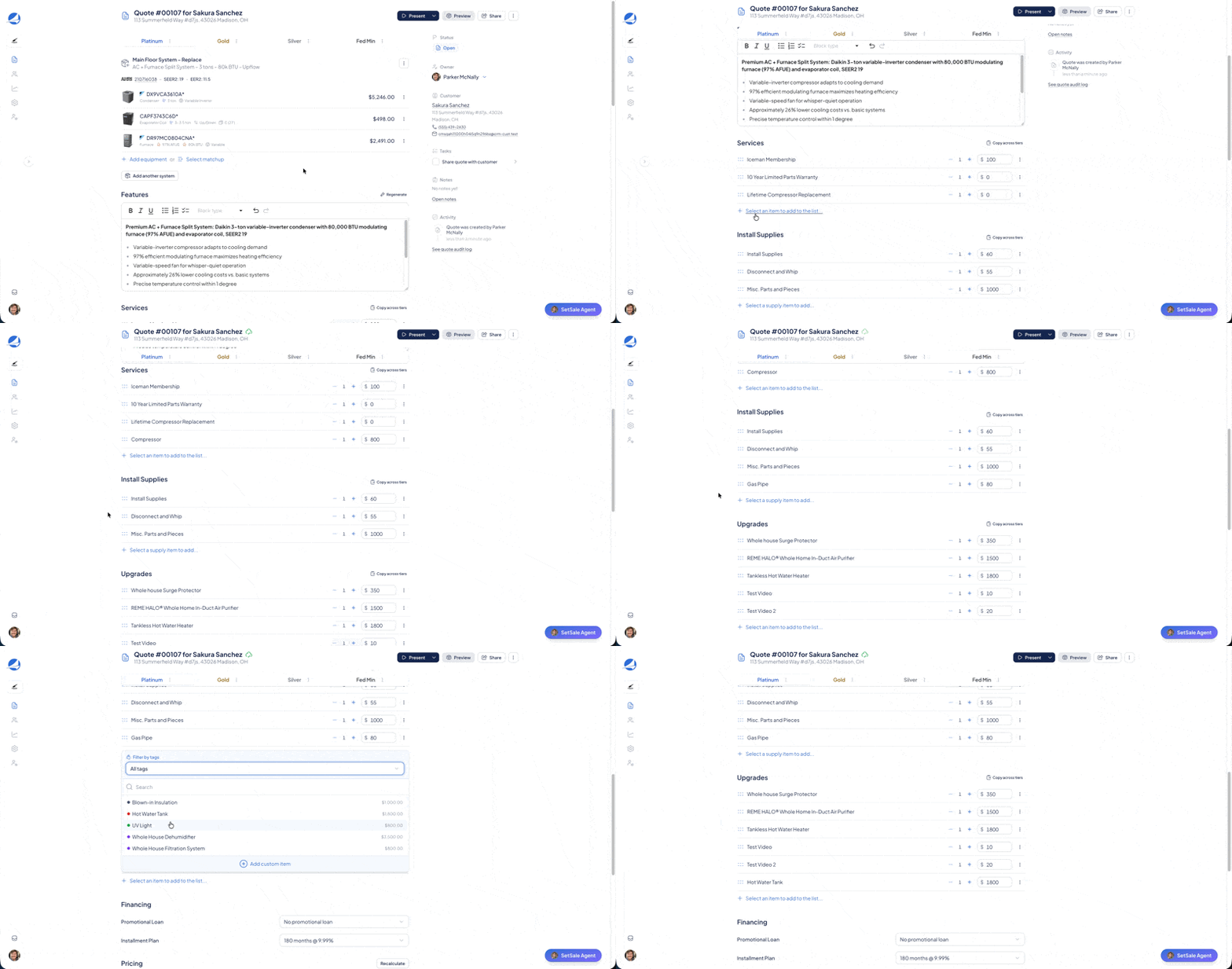
The AI uses this information, along with your price book and the AHRI database, to instantly generate a proposal with four distinct tiers. Tier names can be customized under Settings > Quoting
- Platinum: The highest-efficiency system with the best features.
- Gold: A slightly lower-SEER-rated option, a step down from Platinum.
- Silver: A mid-range choice.
- Federal Minimum: The most affordable, legally compliant option.
- Customize the Proposal:
Add thermostats, IAQ products, or other upgrades you've set up in your system.
- Apply any available discounts and rebates. The real-time profit margin will update as you make changes, helping you avoid over-discounting.
- Launch the Interactive Presentation:
Once your proposal is ready, launch the interactive presentation on your tablet or iPad.
- The presentation is branded with your company's logo. You can play a pre-recorded AI voiceover or narrate it yourself.
- An educational component explains HVAC basics (like SEER and AFUE ratings) to help the homeowner understand the value of higher-efficiency systems.
- Review and Customize with the Homeowner:
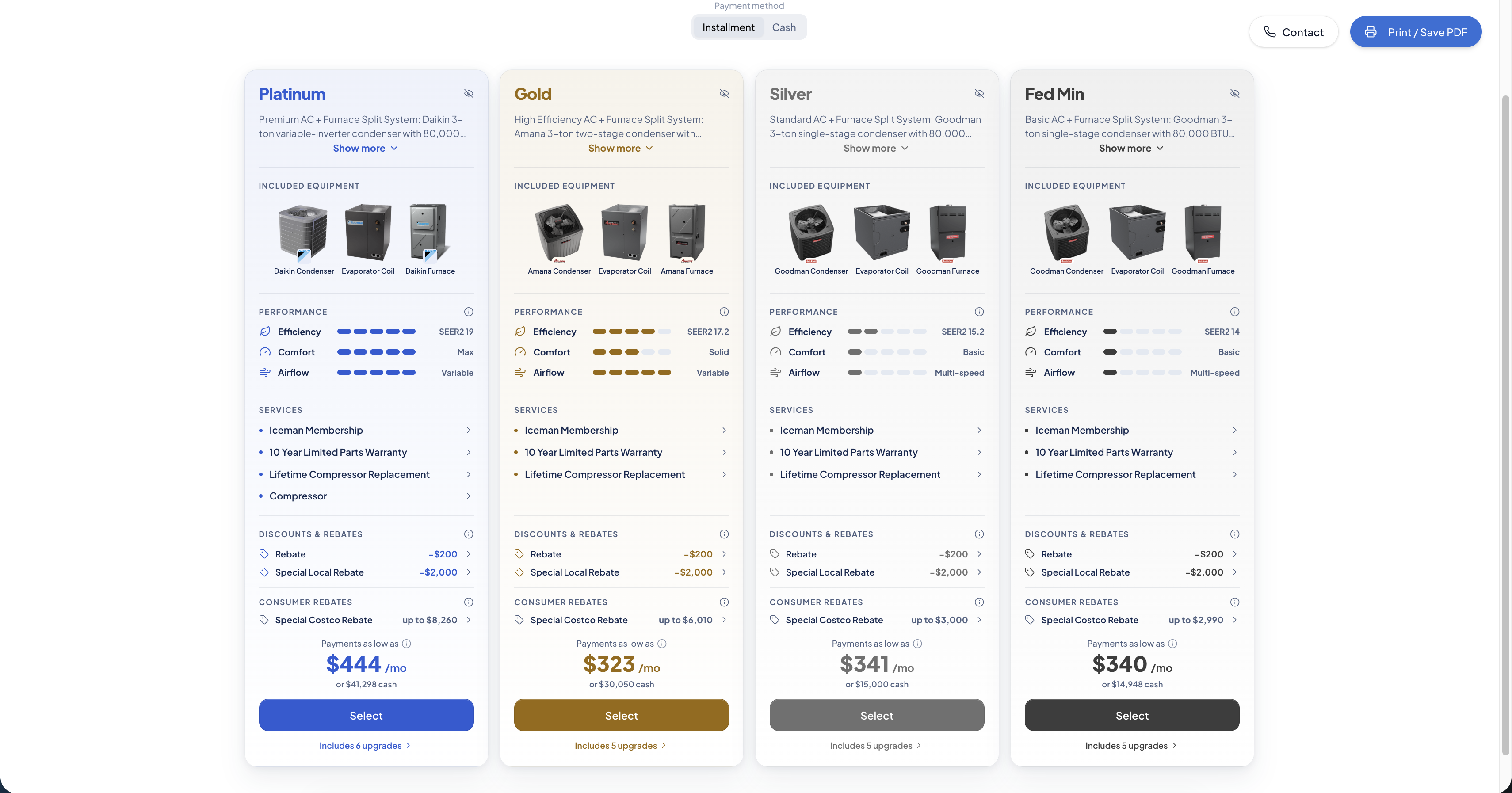
The homeowner can interact with the presentation, selecting or deselecting different system tiers, financing options, and add-ons to see how it affects the total price and monthly payments.
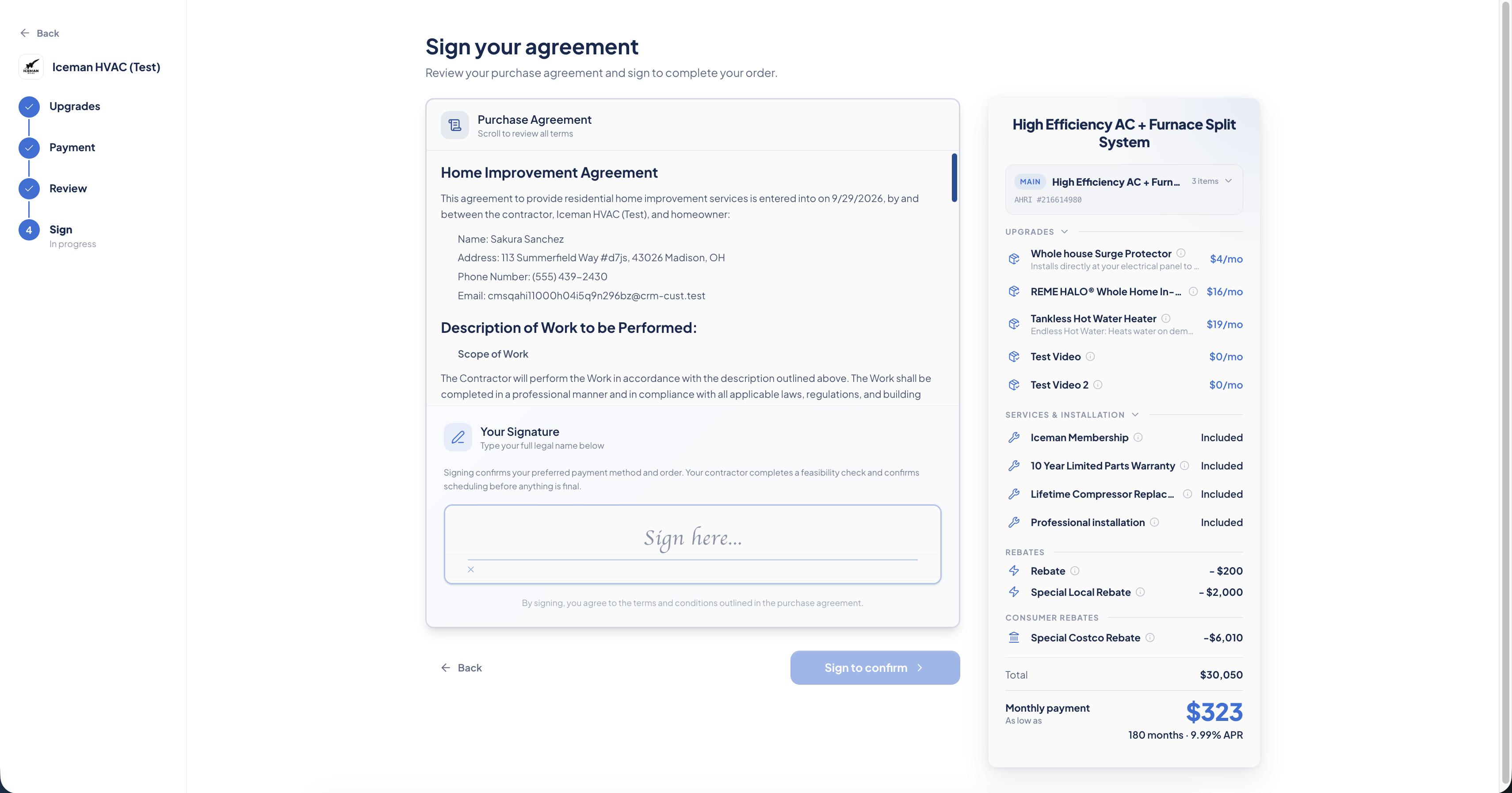
- Use the E-Signature Feature:
Once the homeowner makes their final selection, the system generates a legally enforceable contract.
- The homeowner can sign directly on your tablet, securing the deal on the spot.
 Remote Sharing and Tracking:
If a spouse or other decision-maker isn't present, you can share the full interactive proposal via text or email.
- The system tracks when the customer opens the link, so you'll know the best time to follow up with a call.
- After the contract is signed, a PDF copy is automatically sent to the customer.