How do I Delete My SetSale Account
Permanently remove your SetSale account in a few clicks, though deletion cannot be reversed
PWritten by Parker McNallyUpdated September 29, 2026
How to Delete Your SetSale Account
This article shows you how to permanently delete your SetSale account. It only takes a few clicks, but deletion can't be undone, so read the section below before you start.
⚠️ Before You Delete
- This is permanent. Your account and its information are deleted, and SetSale can't restore them.
- Only need to change a detail? You don't have to delete your account to update your name, password, or profile picture.
- Have questions about billing or your subscription? Chat with our team before you delete.
Steps to Delete Your Account
- Log in to SetSale. Go to app.setsale.ai and sign in.
- Click your avatar. It's in the lower-left corner. If you haven't uploaded a profile picture, you'll see your initials there.
- Select Account settings. Click Account settings in the dropdown menu.
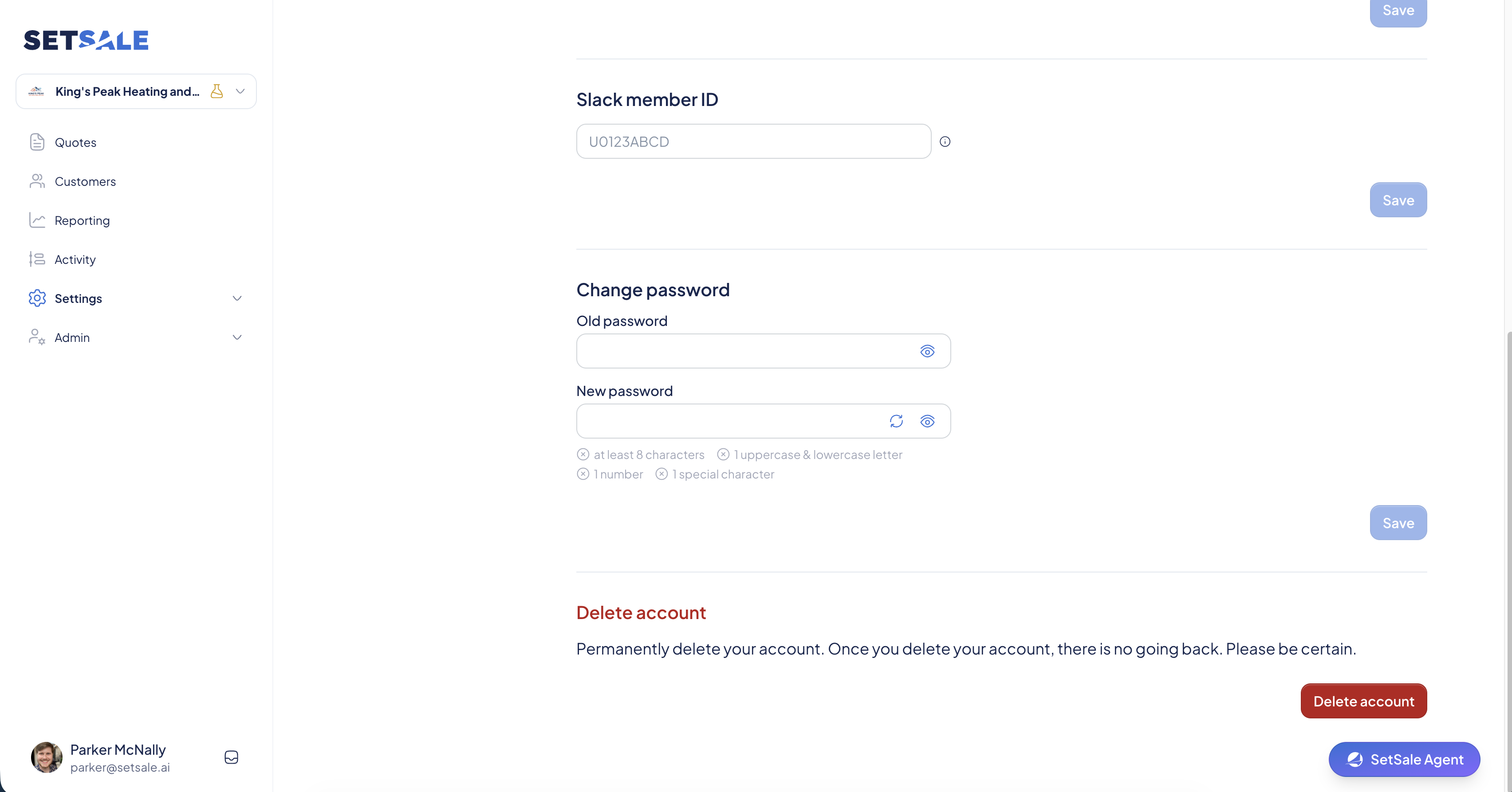
- Scroll to Delete Account. You'll find it at the bottom of the Account Settings page.
- Click the red Delete Account button. It's in the lower-right corner of the Delete Account section.
- Confirm. A pop-up appears. Click Delete Account a second time to permanently delete your account.
🆘 Can't Log In?
If you've forgotten your password, try resetting it first. Still stuck? Contact us and we'll help you get back in or delete your account for you.
💬 Need Help?
- Chat with us: Click the chat icon in the lower-right corner.
- Email us: support@setsale.ai