Cash Discount
A cash discount gives homeowners a lower price when they pay in full with cash instead of financing. It gives customers a reason to pay up front, which helps your cash flow and cuts down on financing dealer fees.
In this article, you'll learn how to turn on the cash discount, choose how it's calculated, and see how it shows up on a quote.
Step 1: Turn On the Cash Discount
- Go to Settings in SetSale.
- Select Pricing and Discounts.
- Find the Cash Discount option and turn it on.
- Choose a discount type: Fixed Percentage or Actual Fee (details below).
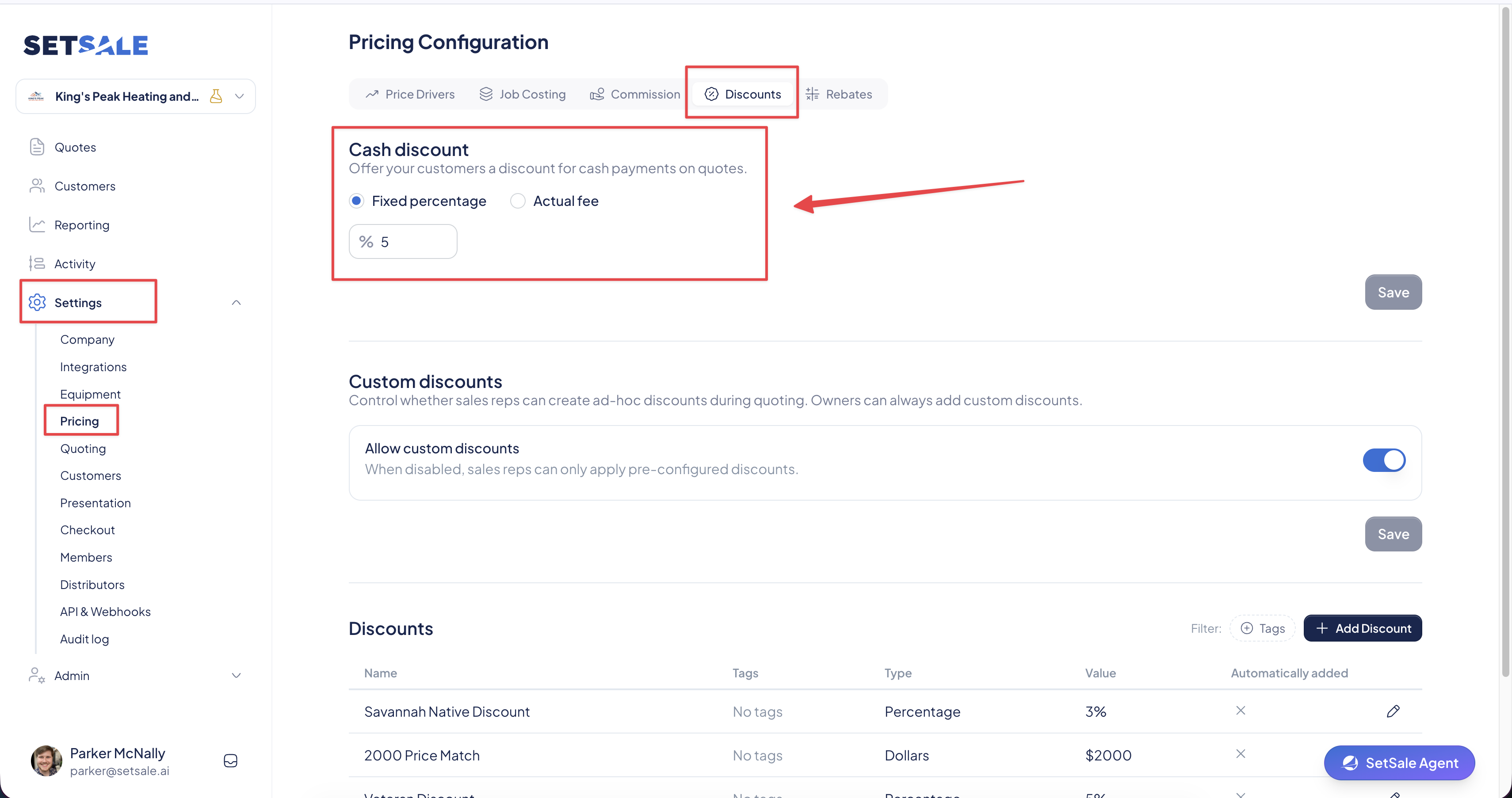
Step 2: Choose Your Discount Type
Fixed Percentage
The same discount applies to every cash quote, no matter which financing plans you offer.
- Example: Enter 5 to always give cash customers 5% off.
- Best for: Companies that want one simple, predictable cash price.
Actual Fee
The discount is based on the financing fee of the selected installment plan. The fee is removed from the cash price, but your credit card processing fee stays in.
- Example: Your financing plan has a 10% fee and your credit card fee is 3%. The cash discount on that tier is 7%.
- Best for: Companies that want the cash price to reflect exactly what they'd otherwise pay in financing fees.
💡 Tip: Your credit card processing fee is set separately in Price Drivers. Check it before choosing Actual Fee, since it directly affects the discount amount.
Step 3: Apply the Discount on a Quote
There's nothing extra to do on the quote. The discount applies automatically.
- Create or open a quote.
- Build your proposal with equipment, upgrades, and pricing tiers as usual.
- When the customer reaches the payment step and selects Cash, SetSale lowers the price and shows the discount amount.
Good to Know
- Cash only: The discount appears only when the customer selects Cash. It won't apply if they choose a financing plan.
- Works with other discounts: You can still add other discounts to the same quote, like veteran, first responder, or promotional discounts.
- Syncs to ServiceTitan: Cash discounts can show up as a separate line item on the ServiceTitan invoice depending on your settings.