How to Automatically Add Services to Your Quotes
Set up services like labor warranties and permits to automatically include on quotes based on tier, system type, or price to prevent technicians from forgetting them
Services like memberships, permits, and demo work are often part of every job — but it's easy for technicians to forget to add them in the field. With the Automatically Added setting, you can configure SetSale to include specific services on quotes automatically, so nothing falls through the cracks.
Where to Find This Setting
- Go to Settings > Quoting > Services.
- Look for the Automatically Added column next to each service in your list.
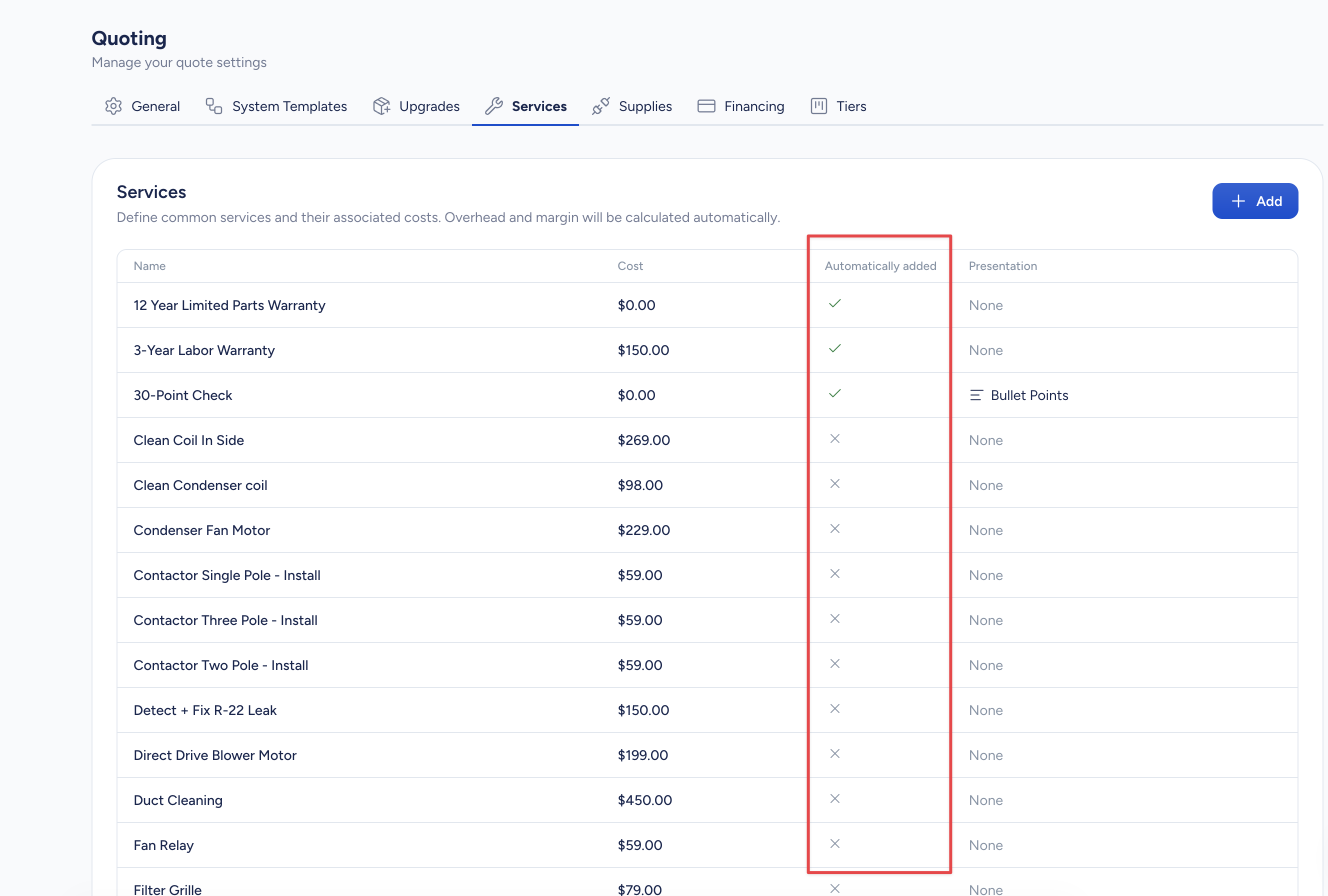
Auto-Add Options
Never
The service won't be added to quotes automatically. Technicians can still add it manually when building a quote.
Always
The service is added to every quote, on every tier. This is a good choice for services that apply to every single job your team quotes — like a standard labor warranty or a permit fee.
When
The service is added only when specific conditions are met. You can set conditions based on:
- Quote Tier — Add the service only to a specific tier (e.g., Platinum, Gold, Silver, or your custom tier names).
- System Type — Add the service when the quote includes a particular system type (e.g., Heat Pump, Dual Fuel, AC & Furnace).
- Price — Add the service when the ticket price is more than or less than a dollar amount you set.
- Model Family — Add the service when a specific model family is used on a tier.
- System Size — Add the service when the system is a certain tonnage (e.g., 5-ton systems).
- Ductless BTU Capacity — Add the service when a ductless system matches a specific BTU capacity.
- Cabinet Size — Add the service when the equipment uses a specific cabinet size.
- Configuration — Add the service based on the equipment's airflow configuration (e.g., upflow, downflow, horizontal).
Combining Conditions
You can combine multiple conditions using AND/OR logic to fine-tune when a service appears.
For example:
- Auto-add a crane fee only when the system type is Packaged Unit AND the price is more than $10,000.
- Add a premium labor warranty when the quote tier is Platinum OR Gold.
- Add an extra labor or rigging service when the system size is 5 tons AND the configuration is Horizontal (e.g., attic installs).
Click Add Condition within the When option to layer on rules, or use condition groups to build more complex logic.
Example
If your company includes a 10-year labor warranty on every premium installation, set that service to auto-add When > Quote Tier is Platinum. The warranty will appear automatically on the Platinum tier of every quote — no extra steps for your technicians.
Tips
- Remember that services are bundled into the tier price (COGS), so the customer sees the value without a separate line-item cost. Auto-adding them keeps your margins accurate across the board.
- Use the Automatically Added column for a quick overview of which services are automated.
- Technicians can still remove or adjust auto-added services on individual quotes when a particular job calls for it.