How to Automatically Add Upgrades to Your Quotes
Set up automatic upgrade rules so upgrades appear on quotes based on tier, system type, price, or other conditions without technicians having to add them manually
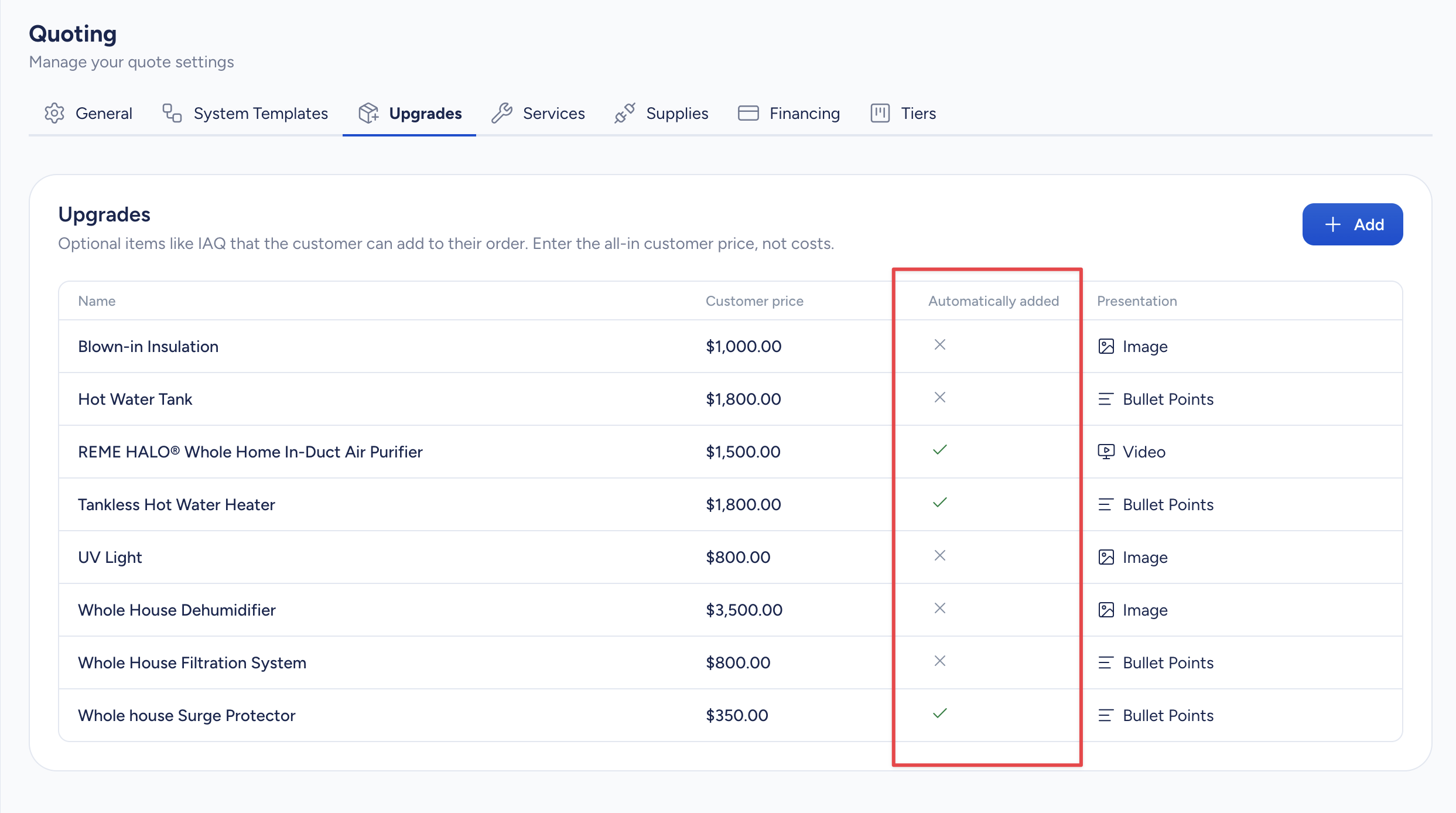
Instead of relying on technicians to remember which upgrades belong on which quotes, you can configure SetSale to add them automatically. The Automatically Added column in your upgrade settings lets you define exactly when each upgrade should appear — on every quote, only under certain conditions, or never.
Where to Find This Setting
- Go to Settings > Quoting > Upgrades.
- Look for the Automatically Added column next to each upgrade in your list.
Auto-Add Options
Never
The upgrade won't be added to quotes automatically. Technicians can still add it manually while building a quote.
Always
The upgrade is added to every quote, on every tier — no exceptions. Use this for upgrades you want included on every single proposal your team sends out.
When
When
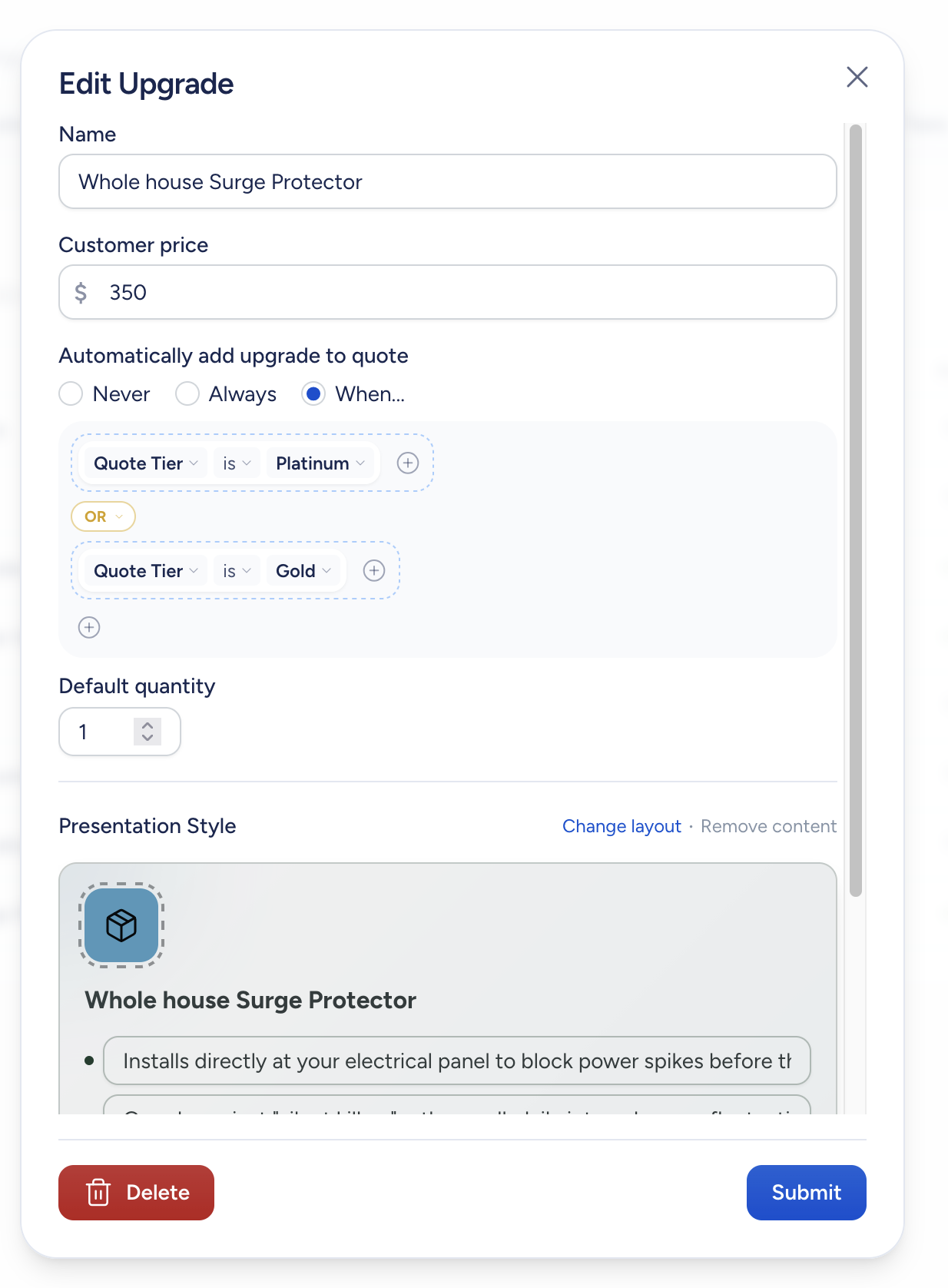
The upgrade is added only when certain conditions are met. You can set conditions based on:
- Quote Tier — Add the upgrade only to a specific tier (e.g., Platinum, Gold, Silver, or your custom tier names).
- System Type — Add the upgrade when the quote includes a particular system type (e.g., Heat Pump, Dual Fuel, AC & Furnace).
- Price — Add the upgrade when the ticket price is more than or less than a dollar amount you set.
- Model Family — Add the upgrade when a specific model family is used on a tier.
- System Size — Add the upgrade when the system is a certain tonnage (e.g., 4- or 5-ton systems).
- Ductless BTU Capacity — Add the upgrade when a ductless system matches a specific BTU capacity.
Combining Conditions
You're not limited to a single condition. You can combine multiple conditions using AND/OR logic to get specific about when an upgrade should appear.
For example:
- Auto-add an upgrade when the system type is Heat Pump AND the quote tier is Platinum.
- Show an upgrade when the system type is Heat Pump OR the price is more than $15,000.
- Add a larger media filter cabinet when the system size is 4 tons or more AND the quote tier is Gold or Platinum.
Within the "When" option, click Add Condition to add individual rules, or use condition groups to build out more complex logic.
Example
Say you sell a whole-home air purifier that you want included on every premium quote. You could set the auto-add rule to When > Quote Tier is Platinum. Now every time a technician builds a quote, that air purifier shows up on the Platinum tier without anyone having to remember to add it.
Tips
- Start with your most commonly included upgrades and set those to Always or When first. You can always adjust later.
- Use the Automatically Added column as a quick visual check to see which upgrades are automated and which aren't.
- Technicians can still remove auto-added upgrades from individual quotes if they don't apply to a particular job.