How to Use Upgrade Rules in SetSale
Set up automatic upgrade rules so the right upgrades appear on quotes without technicians having to add them manually
How to Use Upgrade Rules in SetSale
Upgrade rules let you automatically add upgrades to quotes based on conditions you define. Instead of relying on technicians to remember which upgrades belong on which quotes, you set the rules once and SetSale adds the right upgrades for you.
Where to Find Upgrade Rules
- Go to Settings > Quoting > Upgrades.
- Click an upgrade to open it.
- Find Automatically add upgrade to quote and choose a rule.
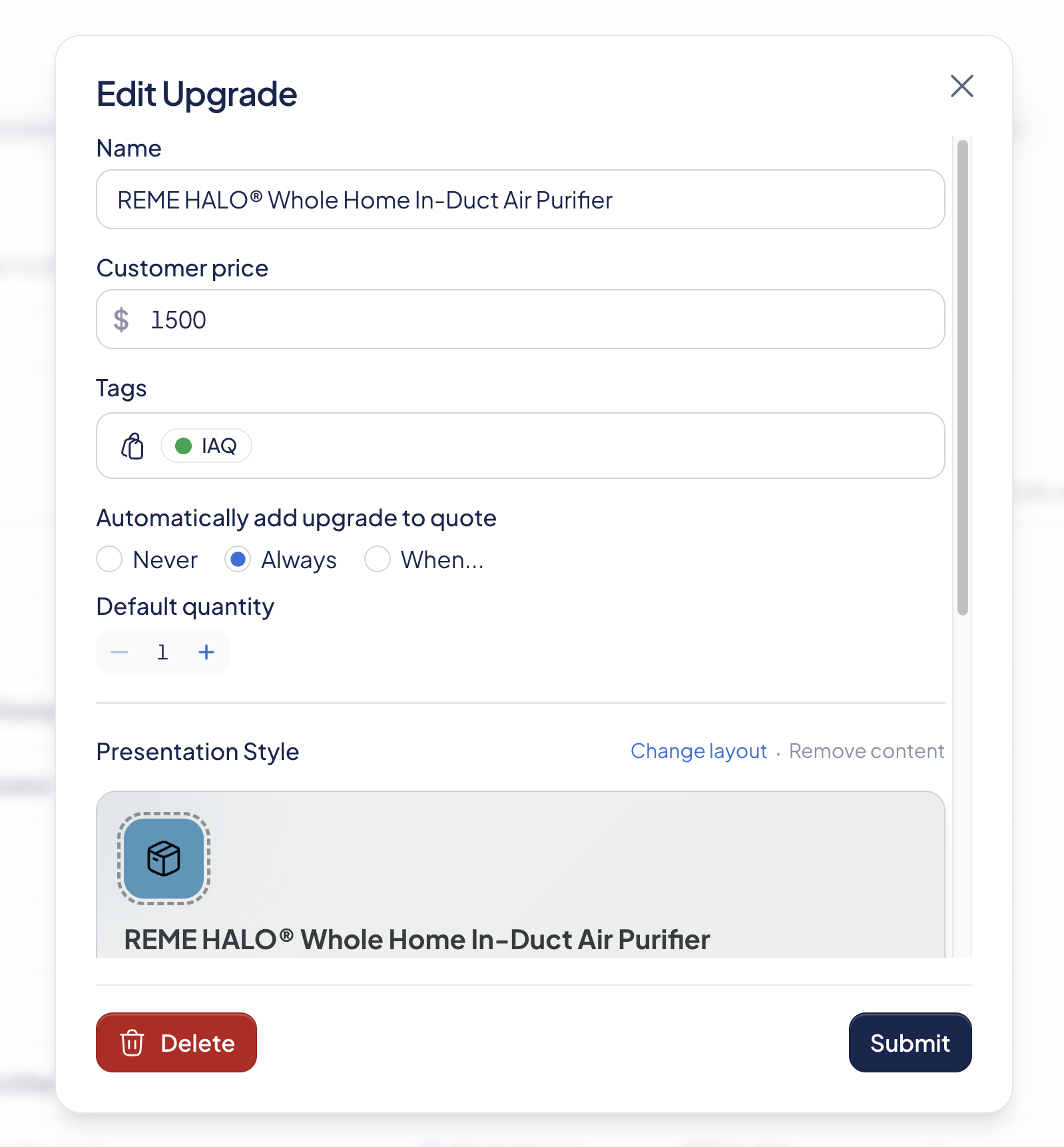
Rule Options
Never
The upgrade is never added automatically. Technicians can still add it manually while building a quote.
Always
The upgrade is added to every quote, on every tier.
When...
The upgrade is added only when the conditions you set are met. Choose from these conditions:
- Quote Tier — Adds the upgrade to a specific tier only (e.g., Platinum).
- System Type — SetSale checks the system type on each tier. If it matches the type you've selected, the upgrade is added.
- Price — Adds the upgrade when the ticket price is more than or less than a dollar amount you set.
- Model Family — SetSale checks the model family on each tier. If it matches, the upgrade is added.
- System size — SetSale checks the system size on each tier. If it matches the size you've selected, the upgrade is added.
- Ductless BTU capacity — For ductless systems, SetSale checks the BTU capacity on each tier. If it matches, the upgrade is added.
💡 Tip: System size and Ductless BTU capacity are useful for upgrades that only make sense on certain equipment sizes — like a larger surge protector, a specific line set, or a condensate pump for high-capacity ductless heads.
Combining Conditions
You can stack multiple conditions to get specific about when an upgrade appears.
- Select When....
- Set your first condition using the three dropdowns (e.g., Quote Tier > is > Platinum).
- Click the + inside the condition box to add another condition to the same group.
- Click the + outside the condition box to add a new condition group.
Example: You want a UV light included on Platinum heat pump quotes only. Set the rule to When... > Quote Tier is Platinum and System Type is Heat Pump. Every time a technician builds a heat pump quote, the UV light shows up on the Platinum tier automatically.
Good to Know
- Technicians can remove an auto-added upgrade from an individual quote if it doesn't fit the job.
- When SetSale adds upgrades automatically, you'll see a confirmation message on the quote.
- Start with your most common upgrades. You can adjust the rules anytime.