How Do I Change/Add Company Phone Number?
Update your company phone number so homeowners see the correct contact info on your quotes
PWritten by Parker McNallyUpdated September 29, 2026
Steps to Update Your Company Phone Number
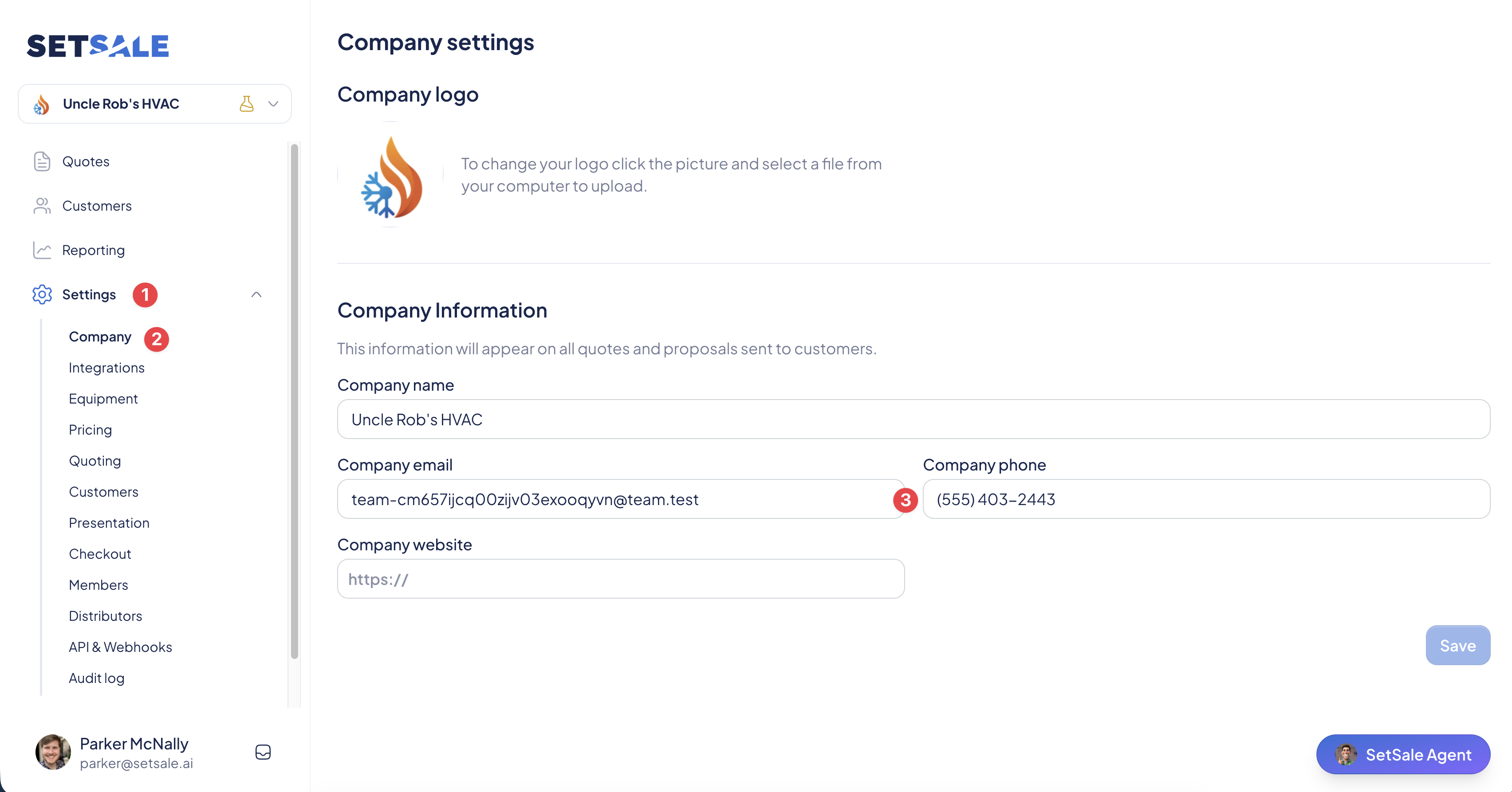
- Log in to SetSale. Go to app.setsale.ai and sign in.
- Open Settings. Click Settings in the left menu.
- Go to the Company tab. Select Company to open your company information.
- Find the Company Phone field. You'll see it next to your Company Name, Email, and Website.
- Enter your new number. Click into the Company Phone field, delete the old number, and type in the new one.
- Click Save. The Save button is in the bottom-right corner of the page.
💡 Tip: List your main office or dispatch line here rather than a technician's cell. Homeowners with questions about a quote will reach whoever is answering the phones.
Good to Know
- This is your company's public contact number. It's shown on quotes delivered to your customers.
- It only affects your company's contact details. Changing it won't touch individual user profiles or login info.
- Quotes you've already sent may still show the old number. New quotes will use the updated one.
💬 Need Help?
- Chat with us: Click the chat icon in the lower-right corner.
- Email us: support@setsale.ai